


Create and edit your WordPress website with Artificial Intelligence
Describe what you need and AI will generate a complete WordPress website for you. Customize colors, fonts, styles and design elements with greater flexibility. Make changes faster and more intuitively with the help of the AI Agent, in just a few clicks and without any technical knowledge.
Create your website in a single step
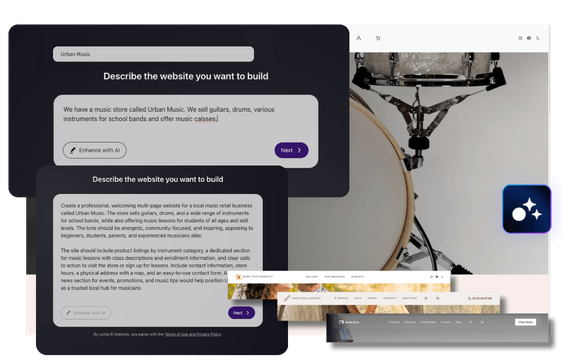
With AI Assistant 3.2, creating your website is this quick: simply describe your idea — what your business or blog is about. If you're not sure what to write, you can click the “Improve with AI” button and AI will expand your description with professional keywords. Then, simply click “Next” and AI will automatically generate the complete structure of your website, with modern headers, customized calls to action and a design tailored to the style of your project.
(Coming soon) You’ll be able to enter your website title in a dedicated field, separate from the description, giving AI clearer information from the start and improving the website creation process.
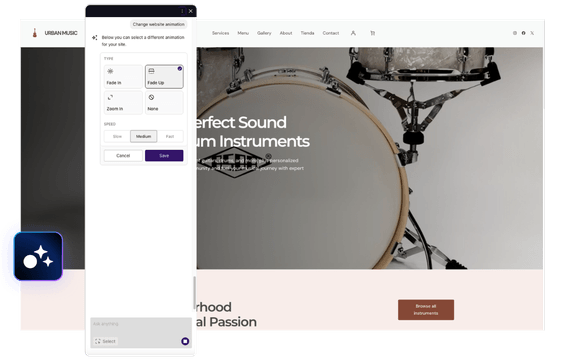
Animations that bring your website to life
Make your WordPress website come alive with modern animations and dynamic visual effects. Highlight your content with smooth transitions, scrolling effects and zoom animations by easily adjusting the speed and style to perfectly match your design. Create a more engaging, modern and visually impactful website that captures your visitors’ attention.
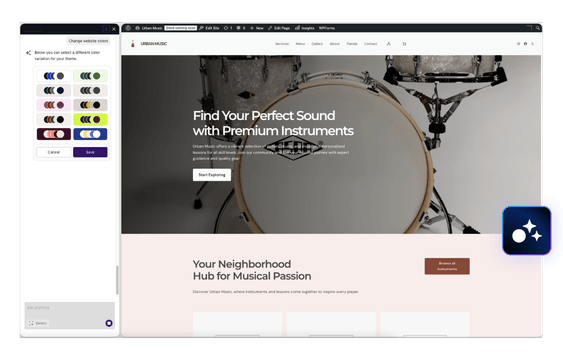
Create perfect color combinations in just a few clicks
AI Assistant 3.2 automatically generates balanced and professional color palettes so you can quickly and easily adapt the design of your WordPress website to your brand, business or personal style.
And if you’re not convinced by the suggested combination, you can generate new palettes or simply click “Try Again” until you find the perfect result.
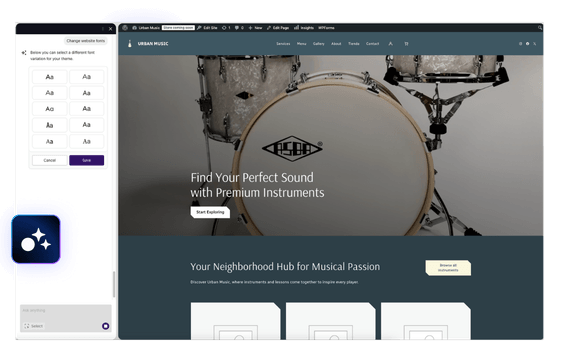
Easily customize your fonts
Change the typography of your WordPress website in just a few clicks and adapt fonts flexibly to your brand, company or style. Whether modern, classic or creative, choose the right font for a professional and consistent appearance. All changes are applied in real time so you can instantly see the results.
Flexibly adapt the design and style of your website
Easily customize the design of your WordPress website and adapt each section to your brand’s style. With AI Assistant 3.2, you have more options to adjust the colors of individual elements, alignment and spacing, change icon sizes, apply filters to images or customize backgrounds with icons. All while maintaining a consistent design and professional appearance throughout your website.
Smart Support for Third-Party Plugins Too
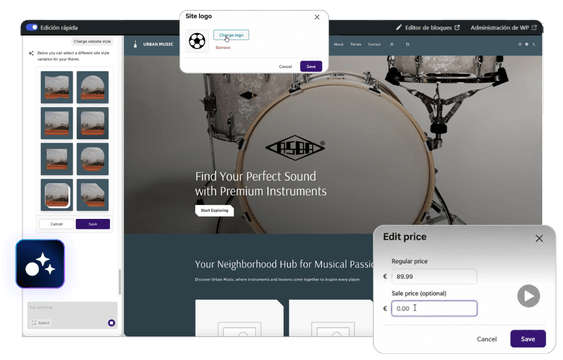
The AI Agent now integrates with selected plugins such as WooCommerce, SimplyBook and WPForms, helping you perform actions using natural language directly from WordPress.
Simply tell it what you need and the AI Agent can carry out compatible actions for you, simplifying tasks and reducing configuration steps. Account setup is also easier for compatible plugins, with options to complete it in a single click.
Create AI-Generated Images Without Leaving WordPress
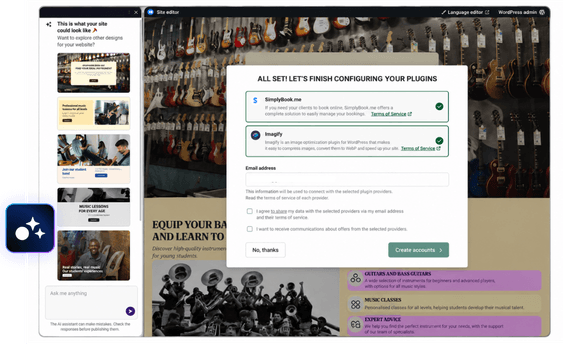
AI Assistant integrates GPT Image 1, OpenAI’s image generation model, allowing you to create high-quality images directly from WordPress without using external tools.
With version 3.2, image search and analysis have been improved to deliver results that better match your website content. You can also include specific image requests in your initial website description and automatically generate custom images for WooCommerce demo products.
You can also optionally add an “AI Generated” visual label to images created with AI, clearly identifying their origin and providing greater transparency around AI-generated content.
Easily edit every detail
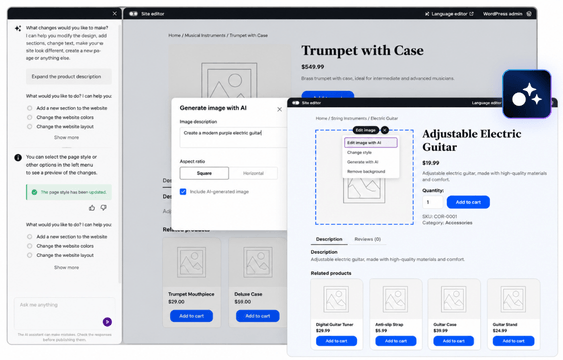
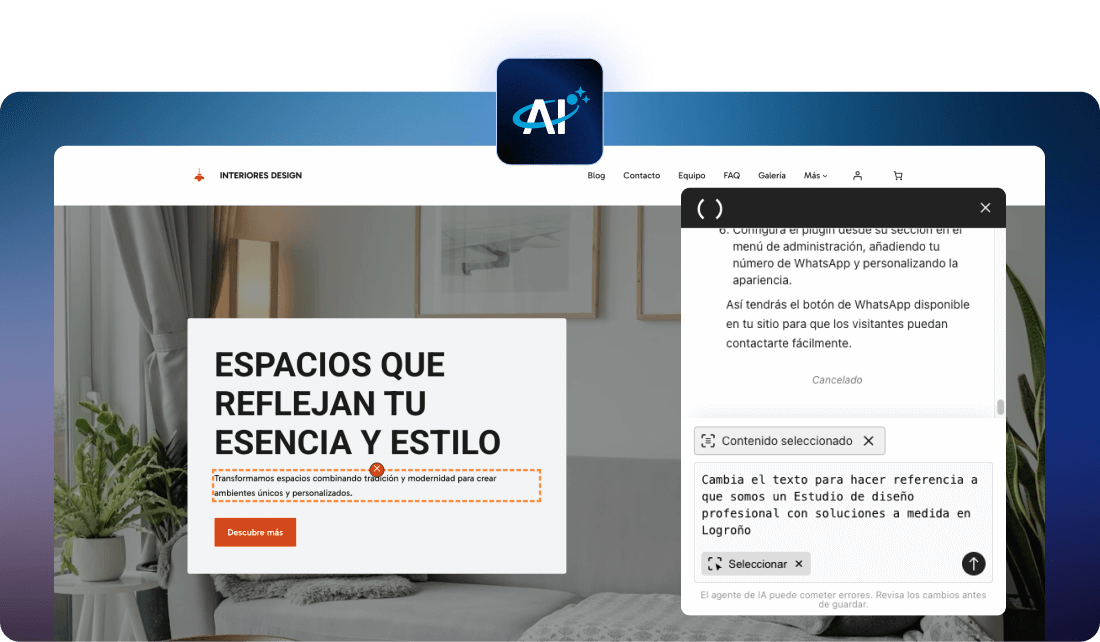
With the new quick edit mode, you can directly select any text, image, button or section of your website and edit it instantly, without having to navigate through complex menus or settings.
With AI Assistant 3.2, the AI Agent is also faster and capable of handling more complex changes, making it even easier to adjust your website.
The simplified admin bar lets you manage your website intuitively: change your logo, update your favicon or adjust your website settings, all from one place.
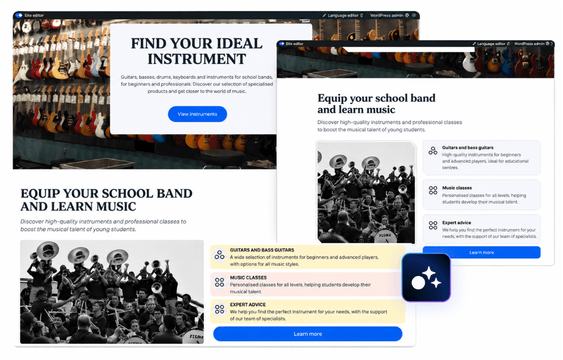
Discover everything you can do with these tools directly in WordPress and create professional sites in less time and with less hassle.
Discover everything you can do with our WordPress AI Assistant
 Nominalia AI Assistant
|
Other WordPress Tools | |
|---|---|---|
| AI Agents: Expert AI Team |
Allows you to edit and update your website content in a guided and simple way
|
Limited or unavailable
|
| Image generator with AI |
Generate custom images and improve image search and selection with AI, with the option to label AI-generated images
|
Limited quality
|
| Smart initial guide |
Step-by-step configuration with questions tailored to your site and automatic suggestions
|
Rarely available
|
| Design library |
+1000 pre-designed templates and sections adaptable to any type of website
|
Limited or requires plugins
|
| Theme design enhancements |
Modern headers, custom call-to-action buttons, and smart layout optimization.
|
Depends on the theme
|
| Quick edit mode |
Edit directly on the page in real time.
|
Depends on the theme
|
| Legal information template |
Legal information page template to help
comply with local compliance standards
|
Uncommon or custom
|
| AI writing assistant |
Generates texts, titles, articles, and lists from the site editor
|
Limited tools
|
| Smart assistant |
Helps automate tasks, suggests actions, and facilitates site management
|
Limited or unavailable
|
| "Smart" plugin installation |
Detects the type of website, installs the necessary plugins and simplifies the setup of compatible plugins
|
Limited or unavailable
|
| AI Agent integration with plugins |
Perform actions using natural language in compatible plugins such as WooCommerce, SimplyBook and WPForms
|
Limited or unavailable
|
| AI page creation |
Tell it what you need, and the system generates a ready-to-use page, tailored to your style
|
Limited or available with plugins
|
| AI templates |
Create 100% personalized websites based on user goals, tone, and business type
|
Uncommon or custom
|
| Build your online store |
Helps set up a store with products, shopping cart, and payments
|
Limited or available with plugins
|
| AI agent with selector |
Tool that allows you to directly point
to the element you wish to change
|
Limited or unavailable
|
Harness the power of the WordPress AI Assistant to create and optimize your website. Start today and enhance your online presence with ease and efficiency.
The AI assistant guides you every step of the way
Follow these simple steps to create and customize your WordPress site in minutes.
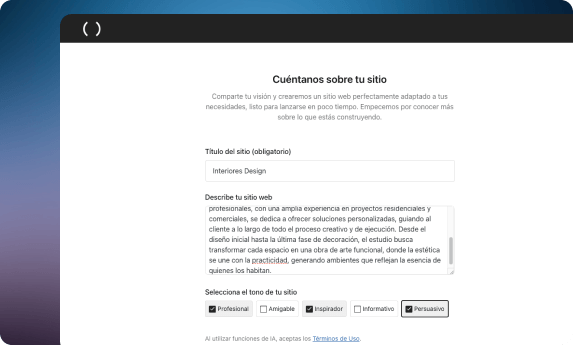
1. Briefly describe how your website should be
Start by writing down all the details you want to include about your website or activity. The WordPress AI Assistant will use the provided information to create your website and generate personalized content for each page. Your site will be ready in minutes with all texts already written by the AI.
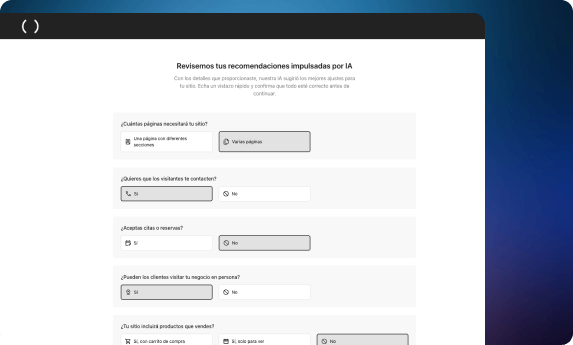
2. What are your goals for your website?
Tell the WordPress AI Assistant what you would like to achieve with your website: sell services or products, promote events, advertise a physical business, drive traffic to your site, get phone calls, etc. Select the options you want, and the AI Assistant will add these functionalities to your site.
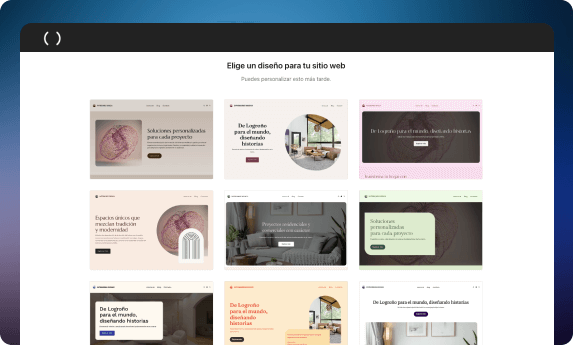
3. Now choose the design you like best for your site
Looking for a minimalist, modern, and relaxing style? Or do you prefer a more dynamic style? The AI Assistant offers you several graphic templates so you can choose the style you like best. You'll be able to customize the template you choose directly in WordPress with the Gutenberg block editor. You don't need any external site builder like Elementor.
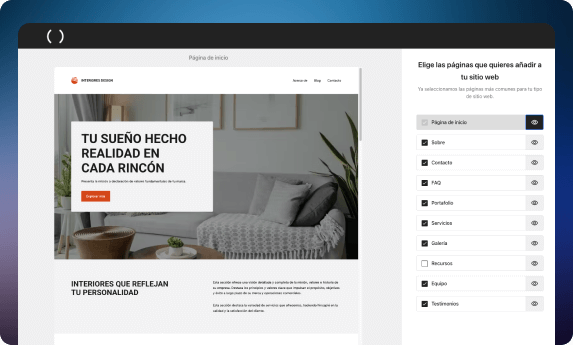
4. Choose what sections your website will have
Based on your needs, the WordPress AI Assistant suggests what sections or pages would be nice to include on your site, and you select the ones you want to incorporate. This way, you'll have your website's entire structure created in no time, and with the help of AI, you can go online with your website very quickly.
Create, customize and launch your website with AI
Nominalia’s AI Assistant 3.2 guides you step by step to create, edit and customize your WordPress website in minutes, quickly and intuitively, with no technical knowledge required. It also includes new tools and improvements to help you customize your design, manage images and make changes to your website more easily.
Watch the video and discover how it works in action.
The result is amazing!
You've just built your website on WordPress with Nominalia Hosting, which is super fast and secure.
Now, thanks to the WordPress AI Assistant, you've designed your website in no time at all. Congratulations!
Mira el vídeo y descubre
cómo crear tu página web con el Asistente del Sitio IA
Need help?
Chat, call, write.
-
Click on the chat icon.
We’ll answer you in real time. -
93 288 40 62
Call us from monday to saturday 9am - 7pm.
Sunday & bank holidays 10am - 6pm.
-
Ask for help
from your control panel.